
Why a merch store on WordPress usually means a WooCommerce project
WordPress can sell anything, through WooCommerce. For a t-shirt line that means the WooCommerce plugin, a payment gateway, shipping zones, tax settings, a theme that renders product pages well, and then a print-on-demand plugin on top. Printful and Printify both have good WooCommerce plugins, so the stack works. It is just a lot of stack for a blog, a podcast site or a company page that wants twenty shirts and a hoodie.
On WordPress.com the stack has a price tag. Plugins install on paid plans from Personal at about $4 a month since April 2026, but WooCommerce proper is the Commerce plan at about $45 a month on an annual contract. On the Free plan there are no plugins at all. Self-hosted WordPress is free to extend, but somebody has to keep six plugins updated and compatible with the next theme release.
Merch5 is one Custom HTML block. Core editor, Elementor, Divi, Bricks, any page builder with an HTML widget. The block shows a product with its artwork, colors and sizes, and Buy takes the buyer to the checkout on your Merch5 store. We print each order in the buyer's region and ship it; you set the price and collect the difference. Nothing to install, nothing to update, and it works on a WordPress.com Free site because it needs no plugin.
How to add a merch widget to a WordPress page
Three steps in the block editor. Elementor, Divi and the other builders have the same thing under the name HTML widget.
Add a Custom HTML block
In the block editor press +, search for Custom HTML and place it where the shop should sit. In Elementor drag in the HTML widget; in Divi it is the Code module.
Paste the Merch5 embed code
In the Merch5 app open a product, find Embed on your site and copy the code. Paste it into the block. Preview shows the live widget right in the editor.
Publish
Update or publish the page. The widget takes the width of its column and sets its own height. Add the page to your menu as /shop.
WooCommerce with a print-on-demand plugin vs. a Merch5 block
| WooCommerce + Printful or Printify | Merch5 block | |
|---|---|---|
| What you install | WooCommerce, a payment gateway, a POD plugin, usually a shipping and a tax plugin | Nothing. One Custom HTML block |
| WordPress.com plan | Plugins from Personal (~$4/mo); WooCommerce on Commerce (~$45/mo annual) | Any plan, including Free |
| Self-hosted | Free software, your hosting carries the load and the updates | Free, nothing on your server |
| Products and prices | Synced from the POD plugin into WooCommerce products; mockups generated on their side | Live from the Merch5 app, mockups included |
| Payments | Your gateway account, your PCI scope, your payouts to Printful | Merch5 checkout on your store; we pay you the margin |
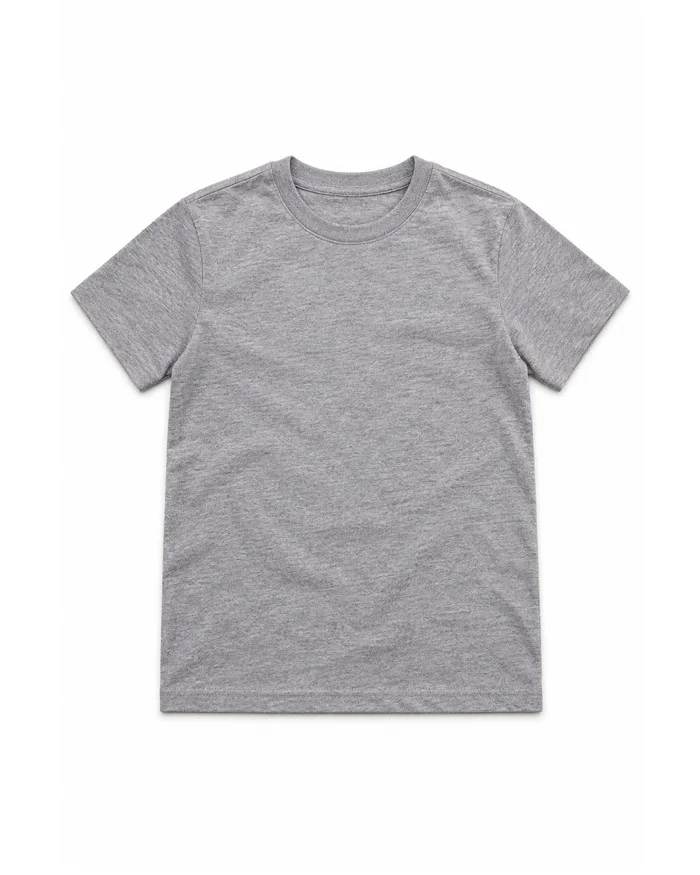
| Per order | Gateway fee plus Printful or Printify base price | Printing, $14.45 for a white tee. Your buyer pays shipping. No platform fee |
| Maintenance | Plugin updates, theme compatibility, WooCommerce major versions | None on your side |
| Where the buyer pays | Your WooCommerce checkout page | On your Merch5 store, one click from your page |
| Good for | A real shop with many non-merch products | Branded tees, hoodies, tanks and more, printed per order |
WordPress.com plan details are the published US figures at the time of writing; wordpress.com/pricing has the current ones. Already running WooCommerce for other goods? Keep it. The Merch5 block sits on any page next to it.
Printful or Printify on WordPress: both work, here is the honest difference
Both have WooCommerce plugins and both are solid. The question is whether you want to run WooCommerce for a t-shirt line.
Printful for WooCommerce
Official plugin, syncs products and orders into WooCommerce. Needs WooCommerce installed and configured, your own payment gateway, and on WordPress.com the Commerce plan. You pay Printful per order and collect your retail price through your gateway.
Printify for WooCommerce
Same model with Printify's network of print providers. Same prerequisites: WooCommerce, gateway, shipping and tax setup, plugin updates. Good when the store is your main business and merch is one aisle of it.
Merch5
No WooCommerce, no plugin, no gateway. The block shows the product, and the checkout, printing and shipping run on our side. The right pick when the site is about something else and merch is a page, not a project.
Free to set up on WordPress. Paid out of orders you already received.
Nothing changes on your WordPress plan — the selling part happens on our side. Printing and shipping are charged from the order itself, and everything above cost is yours.
Need branded packaging and inserts, or a custom setup? That lives on the paid plans. Everything described on this page does not.
What a t-shirt actually costs
WordPress sites that sell merch
Blog or media site
A merch page for readers, built in the same editor as the posts. No WooCommerce templates to style, no plugin fighting the theme. Merch for websites
Podcast on WordPress
Show notes, episodes and the shop on one domain. Print the line listeners quote and link it from every episode. Merch for podcasts
Company site
Employee tees, event shirts and customer gifts without an e-commerce project in IT's backlog. HR pastes a block. Employee swag
Not only WordPress
The same catalog and the same production sit behind every one of them — pick the one you already use.
WordPress questions
No. The Merch5 block shows the product, and the cart and checkout run on your Merch5 store. WooCommerce stays optional, and if you already run it for other products the two live side by side.
Yes. Custom HTML is a core block and needs no plugin, so it works on every WordPress.com plan. The Free plan still shows WordPress.com ads and uses a wordpress.com subdomain, as with any content there.
Yes. Every major builder has an HTML widget or Code module; paste the same snippet there. The widget takes the width of the container you drop it in.
You can, and for a shop with many non-merch products that is a sensible setup. For a site where merch is one page, Merch5 skips WooCommerce, the payment gateway and the plugin maintenance entirely. See the comparison above.
No. The widget is a frame that loads only when the visitor scrolls near it, and the script that places it is under 4 KB.
One widget shows one product. For the whole catalog, link your Merch5 store from the menu: it opens on yourbrand.merch5.com, on a subdomain such as merch.yourdomain.com, or on a domain of its own, with the cart and checkout there.
Nothing. The store, the product mockups and the hosting are free, and the WordPress side costs exactly what it costs you today. Printing and shipping are charged out of an order after your customer has paid for it; there is no platform fee on top.
Everything in the Merch5 catalog: tees, v-necks, tank tops, hoodies, kids and infant sizes, plus accessories and print items. Each product is printed per order, so you can list the whole range without buying any of it.
We do. Each order goes to the production partner closest to the buyer and ships with tracking to more than 100 countries, so delivery times stay sane even when the audience is not in your country.
Your margin on every completed order adds to your balance in the Merch5 dashboard. We pay it out automatically every two weeks, or right away when you ask, once $50 is available. You set the retail price, so you decide what that margin is.
Paste the same snippet into the new builder. Moving hosts does not touch your store, your orders or your payouts.
Your WordPress site is ready. The store takes five minutes.
No store to run, no inventory, no plugin to maintain.